

Download Unit Converter Ultimate – unit converter, measurement conversion, free unit converter, Android app, convert units, easy unit conversion, scientific calculator, unit calculator, metric conversion, conversion tool
Overview
Unit Converter Ultimate is a free Android application designed to simplify the process of converting units of measurement across various categories. Developed by physphil, the app aims to serve users who frequently need to switch between different measurement systems—whether for academic, professional, or daily life purposes. It is particularly useful for students, engineers, and individuals managing household tasks that involve measurements such as weight, length, temperature, volume, and area.
The tool supports quick and accurate conversions with minimal input, making it ideal for on-the-go use. Its clean and intuitive interface ensures that users can navigate through options without confusion. While the developer did not provide additional details about the app’s background or development philosophy, the app’s straightforward design and focus on usability suggest a user-centric approach.
Real-world scenarios include converting recipe ingredients from metric to imperial, calculating distances during travel, or verifying engineering specifications. The app is available at no cost, which enhances its accessibility for a broad audience.
Key Features & Capabilities
- Comprehensive Unit Categories – The app supports multiple measurement domains including length, weight, temperature, volume, area, time, speed, pressure, energy, power, and more. Users can switch between categories with ease to find the required units.
- Intuitive Conversion Workflow – Converting units involves selecting the source and target units, entering a value, and pressing the "Convert" button. The process is streamlined to require minimal steps, enhancing usability.
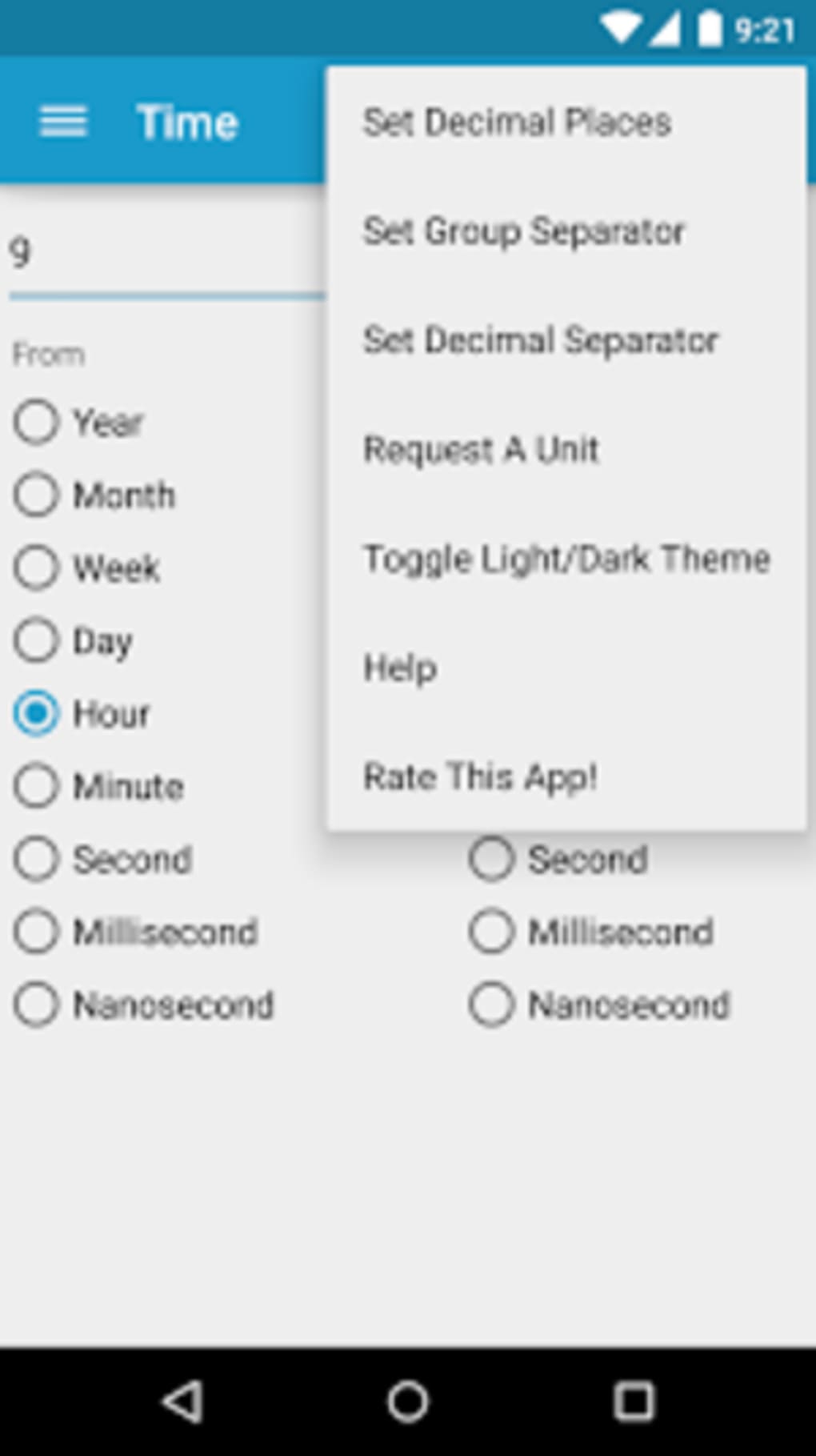
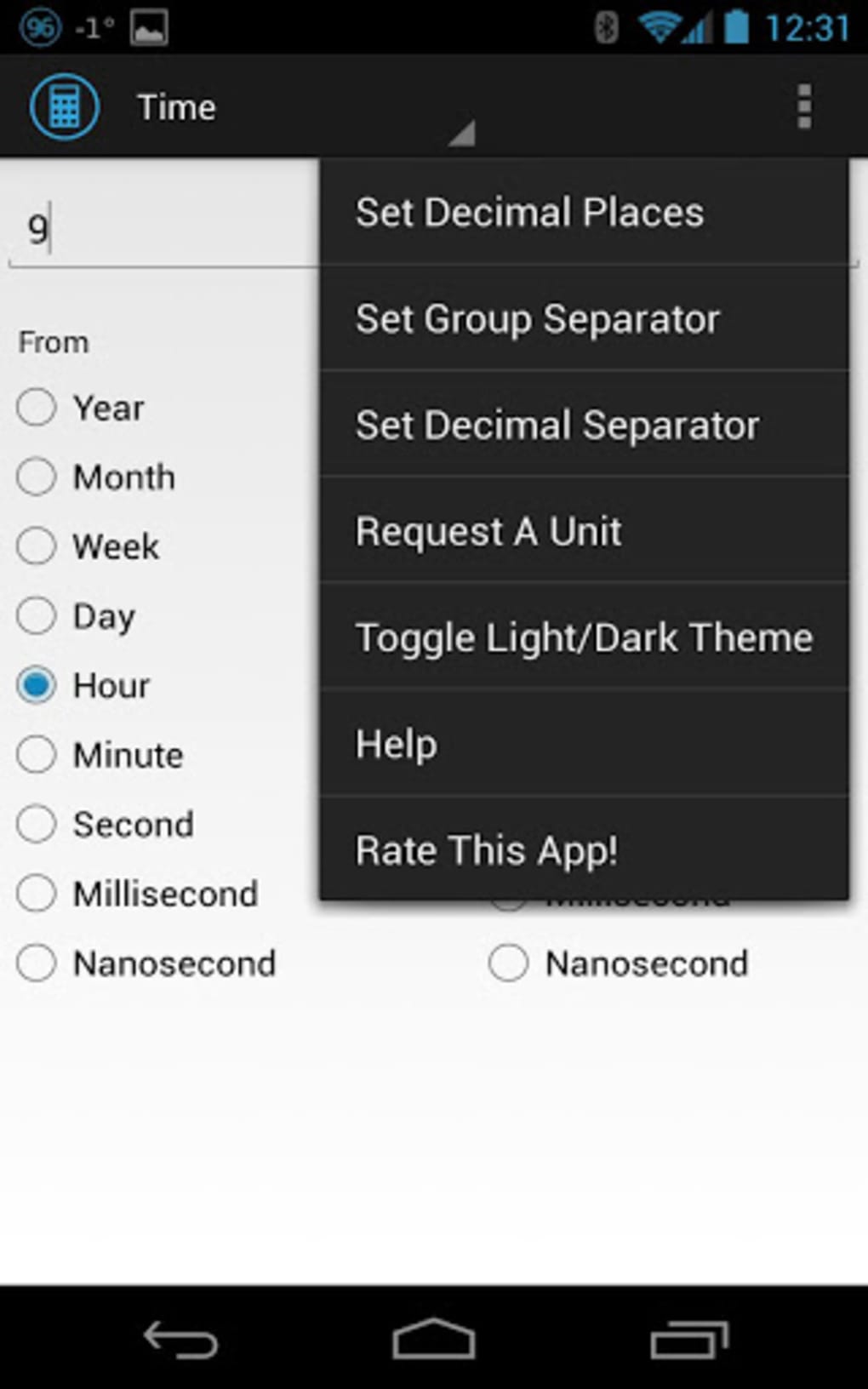
- Customizable Output Settings – Users can adjust the number of decimal places and choose their preferred decimal separator (comma or period), which improves accuracy and readability based on regional preferences.
- Clipboard Integration – After conversion, the result can be copied directly to the clipboard, allowing seamless use in notes, documents, or messaging apps.
- Lightweight Design – With a file size of 12.5 MB, the app is optimized for mobile devices with limited storage, ensuring fast installation and minimal impact on device performance.
These features collectively support practical tasks such as comparing international product dimensions, adjusting cooking measurements, or verifying scientific data. The app’s ability to handle diverse unit types makes it a versatile tool for both casual and technical users.
User Interface, Workflow & Performance
The user interface of Unit Converter Ultimate is described as clean and visually appealing, aligning with modern Android design principles. Navigation is straightforward, with unit categories organized in a logical structure that allows quick access. The layout prioritizes readability and ease of interaction, minimizing the need for excessive tapping or scrolling.
Users can transition between conversion modes without disrupting their workflow. The app’s performance appears stable based on general software behavior patterns, though exact performance details were not specified. The developer did not provide information on CPU or RAM usage, so users should monitor resource consumption during extended use.
Stability during repeated conversions has not been documented, but the lightweight nature of the app suggests it is unlikely to cause significant strain on device resources. Overall, the workflow is efficient and designed to minimize user effort, making it suitable for both quick checks and repeated use.
Compatibility & System Requirements
Unit Converter Ultimate is designed for Android devices. The app is compatible with Android OS versions that support the specified software version, 1.0.3. Installation requires approximately 12.5 MB of storage space, which is considered minimal for a functional utility app.
The developer did not specify exact system requirements, including minimum RAM, processor type, or Android API level. As such, compatibility information is limited to the platform and version provided. Users should ensure their device meets the general requirements for running Android applications.
The app’s lightweight size suggests it is likely to function on a wide range of Android devices, including older models. However, specific hardware or OS version limitations were not disclosed.
Pros and Cons
Pros
- Free to download and use with no hidden costs
- Simple, clean interface suitable for users of all skill levels
- Supports a wide range of measurement units across multiple categories
- Customizable decimal settings for regional preferences
- Efficient workflow with quick conversion and clipboard integration
Cons
- Exact system requirements were not listed
- No offline mode information provided
- Limited customization beyond decimal settings
- Developer background and support channels not disclosed
- Performance metrics and stability data were not specified
FAQ Section
Is Unit Converter Ultimate available for free?
Yes, the app is completely free to download and use. There are no in-app purchases or subscription fees.
Can I use this app offline?
While the developer did not specify whether the app requires an internet connection, its lightweight and utility-based nature suggests it may function without online access. However, this has not been confirmed.
What operating systems does it support?
Unit Converter Ultimate is designed for Android devices. The app is compatible with Android OS, though specific version requirements were not provided.
Does the app require internet access?
It is unclear whether the app needs an internet connection. Since it performs local calculations, it may operate offline. However, the developer did not confirm this functionality.
How often are updates released?
The release date of version 1.0.3 was March 15, 2024. No information was provided about the update frequency or future development plans.
Final Thoughts + CTA
Unit Converter Ultimate delivers a focused and efficient solution for users needing to convert units of measurement on Android. Its clean design, straightforward workflow, and free access make it a practical choice for students, professionals, and everyday users. While some technical details such as system requirements and performance metrics are not available, the app’s lightweight footprint and ease of use suggest reliable performance across a range of devices.
It excels in simplicity and functionality, offering essential tools without unnecessary complexity. For anyone who regularly works with measurements, this app provides a dependable, no-frills conversion experience. Download Unit Converter Ultimate now to simplify your daily calculations and streamline your workflow.





.png)

